Model RLIB-CRTR-0003
Skeleton
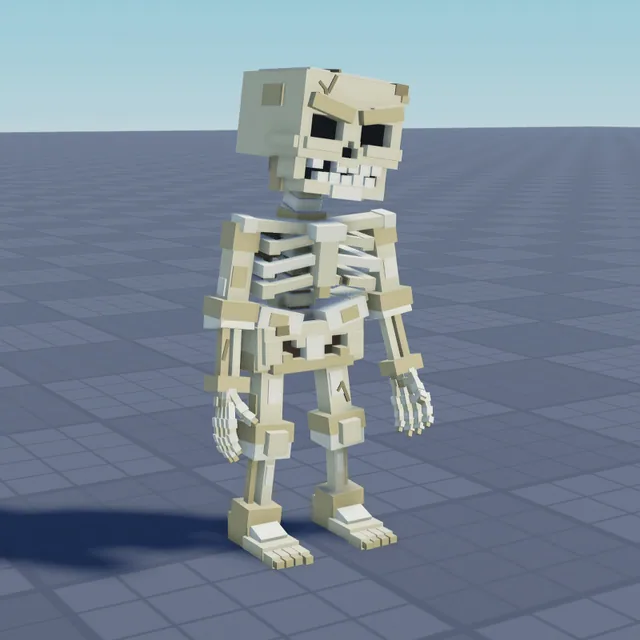
A bare-bones skeleton.
A bare-bones skeleton: a big cube skull with an angry brow, dark empty eye sockets (no glow), a nose hole, upper teeth with one missing and a hinged jaw with lower teeth, a small crack. Thin squared limb bars with big joint blocks at every joint, a see-through ribcage of separate rib bars around a full spine (one broken rib), a visible neck of vertebrae, a boxed pelvis, bone hands with separate finger bones, chunky feet with toe bones. Warm ivory bone, not grey. No clothes, armour or weapon.
- Style
- blocky
- Category
- creature
- Type
- undead
- Body
- humanoid
- Size
- player size
- Tone
- spooky
- Animations
- idle
- Features
- bones no clothes ribcage
Reference sheet
Download the sheet (3840 × 2160, 1.8 MB)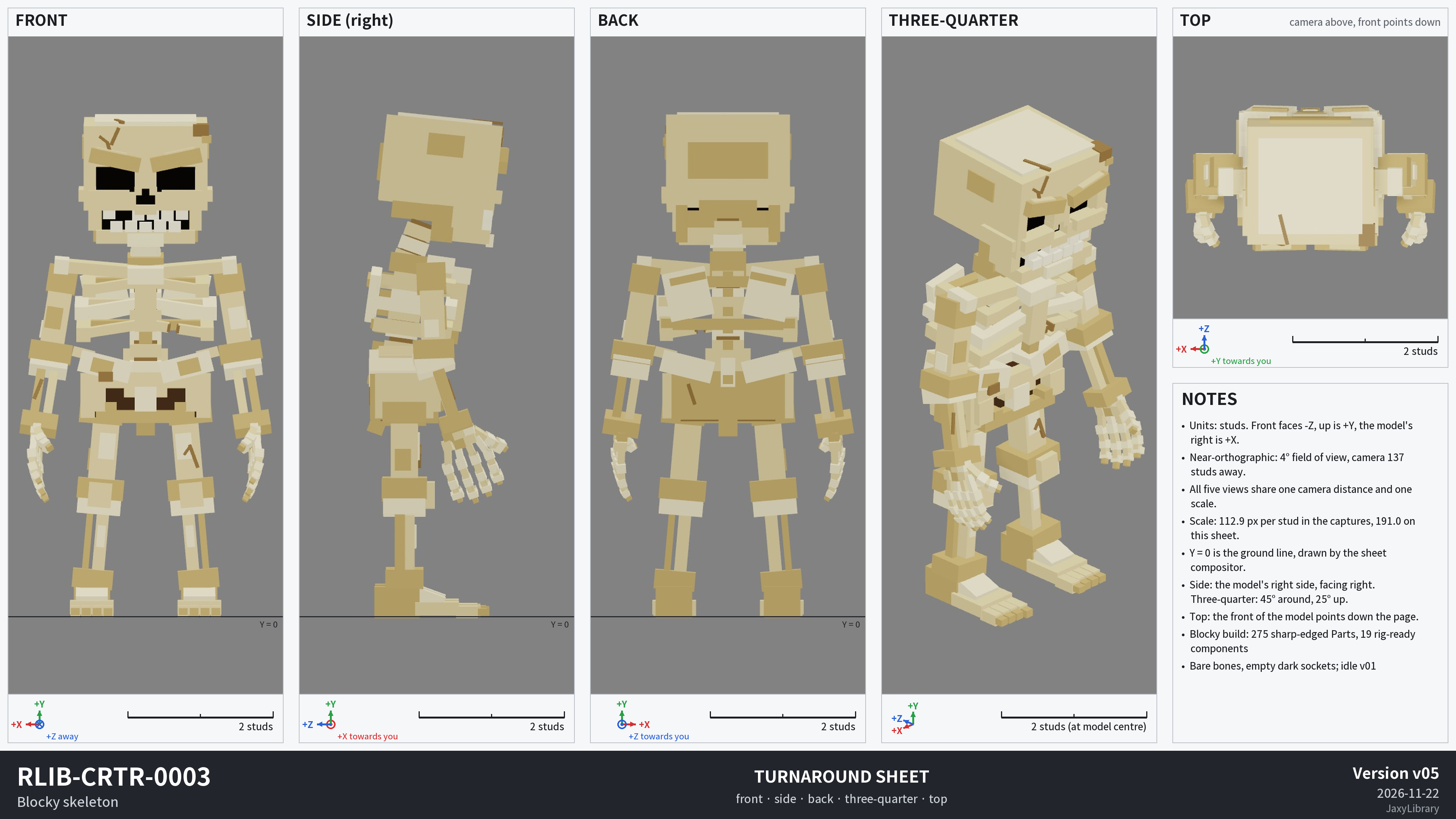
Build prompt
Connect your agent to the bloxdev MCP to skip the copy and paste. It finds the prompt and the reference pictures on its own. To do it by hand, copy the prompt and give it to your agent with the reference sheet and the GIF, and ask it to look at both before it starts.
Build a blocky skeleton in Roblox Studio that matches the attached reference sheet and idle GIF as closely as possible. The sheet shows the model from the front, side, back, three-quarter and top at one scale; the GIF shows its idle animation in a three-quarter view. Build it yourself from Parts; don't import or search for any model.

## What it is
A bare-bones skeleton: a big cube skull with an angry brow, dark empty eye sockets (no glow), a nose hole, upper teeth with one missing and a hinged jaw with lower teeth, a small crack. Thin squared limb bars with big joint blocks at every joint, a see-through ribcage of separate rib bars around a full spine (one broken rib), a visible neck of vertebrae, a boxed pelvis, bone hands with separate finger bones, chunky feet with toe bones. Warm ivory bone, not grey. No clothes, armour or weapon.

## Numbers
- Size: about 3.5 wide x 6.95 tall x 2.0 deep studs.
- About 275 blocks in 19 components: Pelvis (root), Ribcage, Neck, Skull, Jaw, and per side UpperArm, LowerArm, Hand, Fingers, UpperLeg, LowerLeg, Foot.
- Skull about 1.7 wide x 1.67 tall (with jaw) x 1.6 deep. Ribcage 1.9 wide; rib bars 0.13 tall with 0.17 of air between. Limb bars about 0.30-0.37 thick; joint blocks 0.40-0.64.
- Joint heights: ankle 0.41, knee 1.65, hip 2.95, wrist 2.58, elbow 3.57, shoulder 4.65, neck 4.93.

## Palette (RGB)
Bone 226,208,160 · light bone 243,231,194 (crown, knees, elbows, finger joints) · aged yellow 198,172,118 (brow, shoulder, wrist, hip, ankle blocks, back ribs) · cracks and spine discs 150,122,80 · pelvis inside 82,62,44 · sockets, nose, mouth 22,18,16 · teeth 248,241,214.

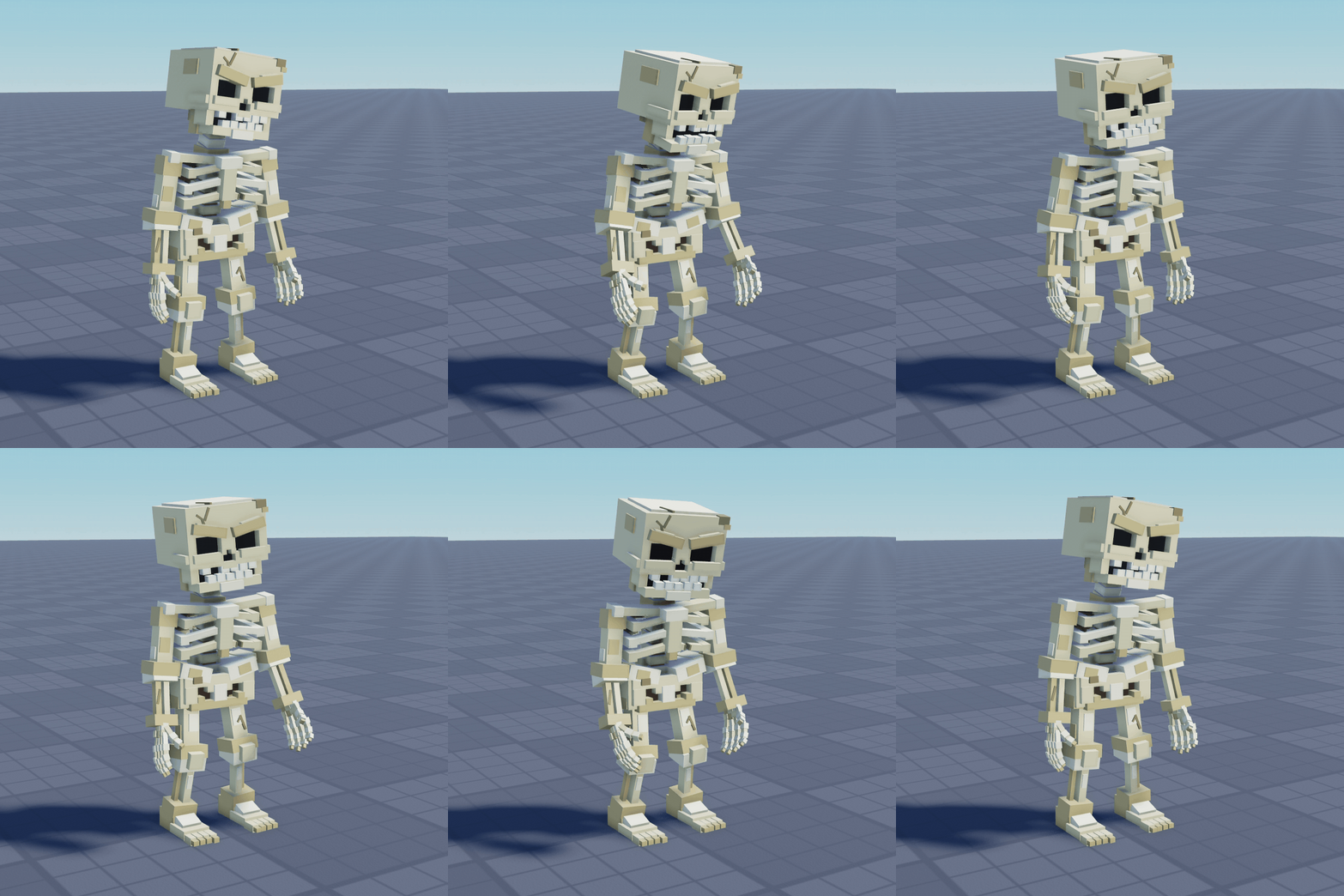
## Idle (3.0 s loop, see the GIF)
A rattly bob: the pelvis drops and rises twice per loop with small shakes, the knees bend to take it so the soles stay flat, the ribcage rides the bob a little late, the skull and jaw chatter, the fingers twitch.

## Style rules (Blocky style)
- Build only from sharp-edged Roblox block Parts. No MeshParts, no unions, no textures or decals (a few WedgeParts are fine where noted).
- Material SmoothPlastic everywhere; only the glowing eye cores are Neon.
- Big chunky cube head, chunky hands and feet; detail is made from geometry (stepped blocks, recesses, raised trims), not images.
- Use 2-4 shades per material (light, main, dark) so forms read without textures; put lighter shades on top and outer edges, darker in recesses and undersides.
- No two different-coloured faces in the same plane where they overlap (offset them at least 0.02 studs) so nothing flickers (z-fighting).
- Every block must touch its neighbours: no floating parts.
- The model faces -Z, its pivot at the base centre on Y = 0, anchored.

## How to work
1. Look at the reference sheet (front, side, back, three-quarter, top) and the idle GIF before building. Build to the sheet's proportions; the sizes below are the targets.
2. Block out the big masses first (head, torso, limbs) at the right size, and compare front and side against the sheet.
3. Add the secondary forms, then the details and trims.
4. Split the model into the components listed, each welded to one main block, with an invisible root part, an AnimationController and one Motor6D at each joint (pivot at the real joint).
5. Make your own idle animation (KeyframeSequence) as described below, loop it, and keep the feet planted.
6. Check: capture front, side, back and three-quarter screenshots and compare each with the reference sheet; check for floating parts and flickering faces; fix the biggest differences first.

## Done when
- Front, side, back and three-quarter screenshots look like the reference sheet (proportions, colours, the main details).
- No floating parts and no flickering faces.
- The idle loops smoothly like the GIF with the feet planted.
- You report what still differs from the reference sheet.